

Computing
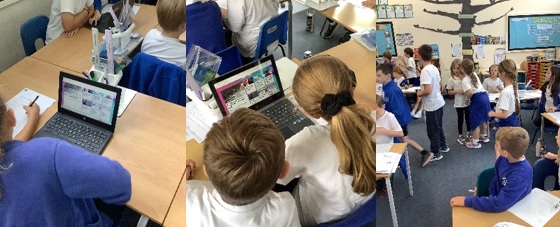
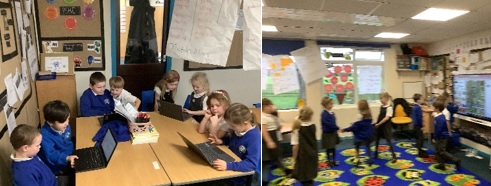
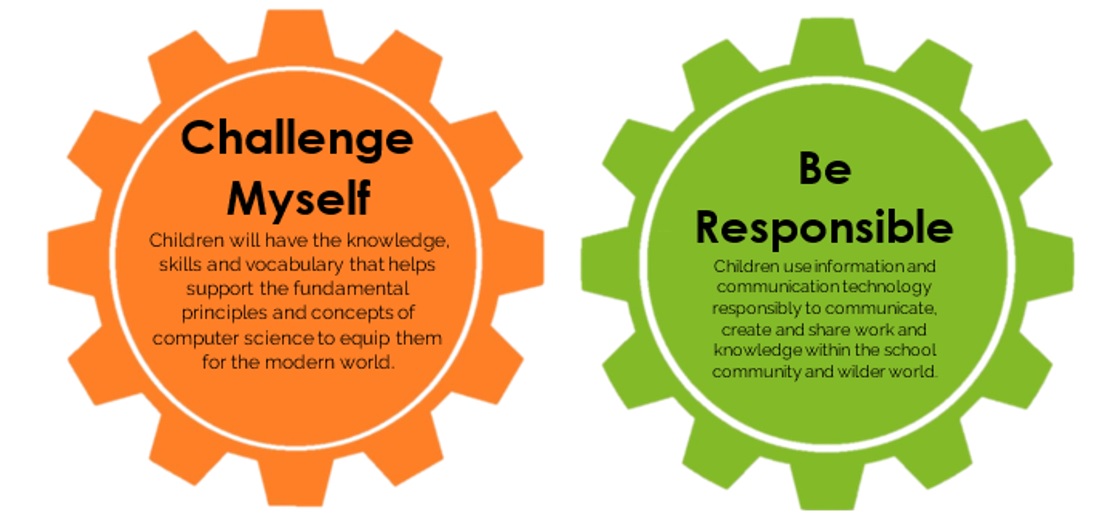
Willingdon Primary School has adopted the scheme of work designed by the National Centre for Computing Education (NCCE). This well-designed and professionally resourced scheme of work is being followed throughout the school from KS1 to KS2, enabling teaching staff to make use of the knowledge and resources provided by experts in the field. We are confident that this will build the skills that children need in the modern world of digital technology. In addition to this scheme of work, we will be supporting the development of coding across the school by using coding software including Scratch and Kodu.

Knowledge Organisers
-
Y1 - Computing Systems and Networks - Technology Around Us
download_for_offline
download_for_offlineY1 - Computing Systems and Networks - Technology Around Us
- Y1 - Creating Media - Digital Painting download_for_offline
download_for_offlineY1 - Creating Media - Digital Painting
- Y1 - Creating Media - Digital Writing download_for_offline
download_for_offlineY1 - Creating Media - Digital Writing
- Y1 - Data and Information - Grouping Data download_for_offline
download_for_offlineY1 - Data and Information - Grouping Data
- Y1 - Programming A - Moving a Robot download_for_offline
download_for_offlineY1 - Programming A - Moving a Robot
- Y1 - Programming B - Introduction to animation download_for_offline
download_for_offlineY1 - Programming B - Introduction to animation
- Y2 - Computing Systems and Networks - IT around us download_for_offline
download_for_offlineY2 - Computing Systems and Networks - IT around us
- Y2 - Creating Media - Digital Photography download_for_offline
download_for_offlineY2 - Creating Media - Digital Photography
- Y2 - Creating Media - Making Music download_for_offline
download_for_offlineY2 - Creating Media - Making Music
- Y2 - Data and Information - Pictograms download_for_offline
download_for_offlineY2 - Data and Information - Pictograms
- Y2 - Programming A - Robot Algorithms download_for_offline
download_for_offlineY2 - Programming A - Robot Algorithms
- Y2 - Programming B - Introdution to Quizzes download_for_offline
download_for_offlineY2 - Programming B - Introdution to Quizzes
- Y3 - Computing Systems and Networks - Connecting Computers download_for_offline
download_for_offlineY3 - Computing Systems and Networks - Connecting Computers
- Y3 - Creating Media - Animation download_for_offline
download_for_offlineY3 - Creating Media - Animation
- Y3 - Creating Media - Desktop Publishing download_for_offline
download_for_offlineY3 - Creating Media - Desktop Publishing
- Y3 - Data and Information - Branching Databases download_for_offline
download_for_offlineY3 - Data and Information - Branching Databases
- Y3 - Programming A - Sequence in Music download_for_offline
download_for_offlineY3 - Programming A - Sequence in Music
- Y3 - Programming B - Events and Actions download_for_offline
download_for_offlineY3 - Programming B - Events and Actions
- Y4 - Computing Systems and Networks - The Internet download_for_offline
download_for_offlineY4 - Computing Systems and Networks - The Internet
- Y4 - Creating Media - Audio Editing download_for_offline
download_for_offlineY4 - Creating Media - Audio Editing
- Y4 - Creating Media - Photo Editing download_for_offline
download_for_offlineY4 - Creating Media - Photo Editing
- Y4 - Data and Information - Data Logging download_for_offline
download_for_offlineY4 - Data and Information - Data Logging
- Y4 - Programming A - Repitition in Shapes download_for_offline
download_for_offlineY4 - Programming A - Repitition in Shapes
- Y4 - Programming B - Repition in Games download_for_offline
download_for_offlineY4 - Programming B - Repition in Games
- Y5 - Computing Systems and Networks - Sharing Information download_for_offline
download_for_offlineY5 - Computing Systems and Networks - Sharing Information
- Y5 - Creating Media - Vector Drawing download_for_offline
download_for_offlineY5 - Creating Media - Vector Drawing
- Y5 - Creating Media - Video Editing download_for_offline
download_for_offlineY5 - Creating Media - Video Editing
- Y5 - Data and Information - Flat-file Databases download_for_offline
download_for_offlineY5 - Data and Information - Flat-file Databases
- Y5 - Programming A - Selection in Physical Computing download_for_offline
download_for_offlineY5 - Programming A - Selection in Physical Computing
- Y5 - Programming B - Selection in Quizzes download_for_offline
download_for_offlineY5 - Programming B - Selection in Quizzes
- Y6 - Computing Systems and Networks - Communication download_for_offline
download_for_offlineY6 - Computing Systems and Networks - Communication
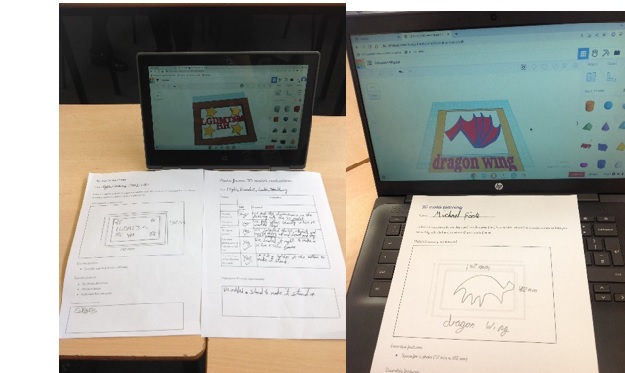
- Y6 - Creating Media - 3D Modelling download_for_offline
download_for_offlineY6 - Creating Media - 3D Modelling
- Y6 - Creating Media - Web Page Creating download_for_offline
↑download_for_offlineY6 - Creating Media - Web Page Creating
- Y6 - Data and Information - Spreadsheets download_for_offline
download_for_offlineY6 - Data and Information - Spreadsheets
- Y6 - Programming A - Variables in Games download_for_offline
download_for_offlineY6 - Programming A - Variables in Games
- Y6 - Programming B - Sensing download_for_offline
download_for_offlineY6 - Programming B - Sensing
Computing
Online Safety

Across the school, our Digital Leaders continually promote online safety. We follow East Sussex County Council's Educated for a Connected World programme:
We also regularly update our online safety knowledge within our 'Jigsaw' PSHE programme
Using the Internet Safely
As part of our ongoing commitment to teaching the children how to safely use and play on the Internet, we thought we would share these useful resources. Below are some helpful guides provided by East Sussex County Council and other organisations to help parents and guardians keep their children safe whilst using the Internet. This includes information on Cyberbullying.
Further pages are available on our Safeguarding page on Our School Tab.
https://www.nspcc.org.uk/keeping-children-safe/online-safety/
You might also like to explore the very useful, age-specific information on Ceop’s ‘Think You Know’ website: www.thinkuknow.co.uk
Information on Share Aware, Help your child stay safe on social networks, apps and games. `www.nspcc.org.uk' website: www.nspcc.org.uk
Further information, including National Online Safety guidance on apps is available via the Parent Tab - Online Safety
- Y1 - Creating Media - Digital Painting download_for_offline